Yazılar9 dk okuma
Building a Scalable WebSocket Client in Flutter
Managing real-time message traffic without losing your mind — and reusing your code while you’re at it? Let’s dive in together!
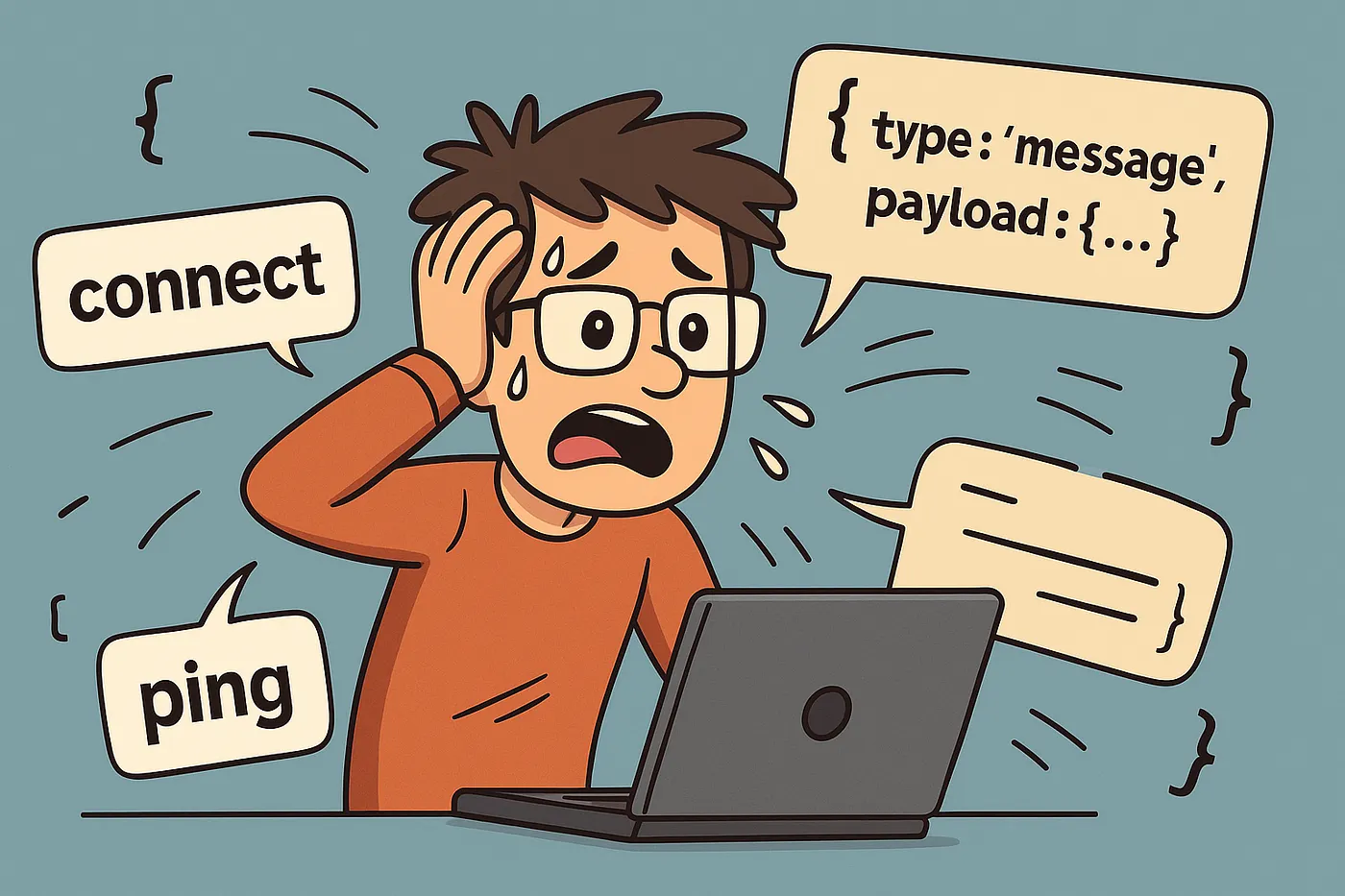
If you want to implement features like chat, live scores, instant notifications, or real-time data updates in your mobile app, it’s much more efficient to maintain a persistent connection with the server instead of requesting data repeatedly every second. This is exactly what WebSocket enables.
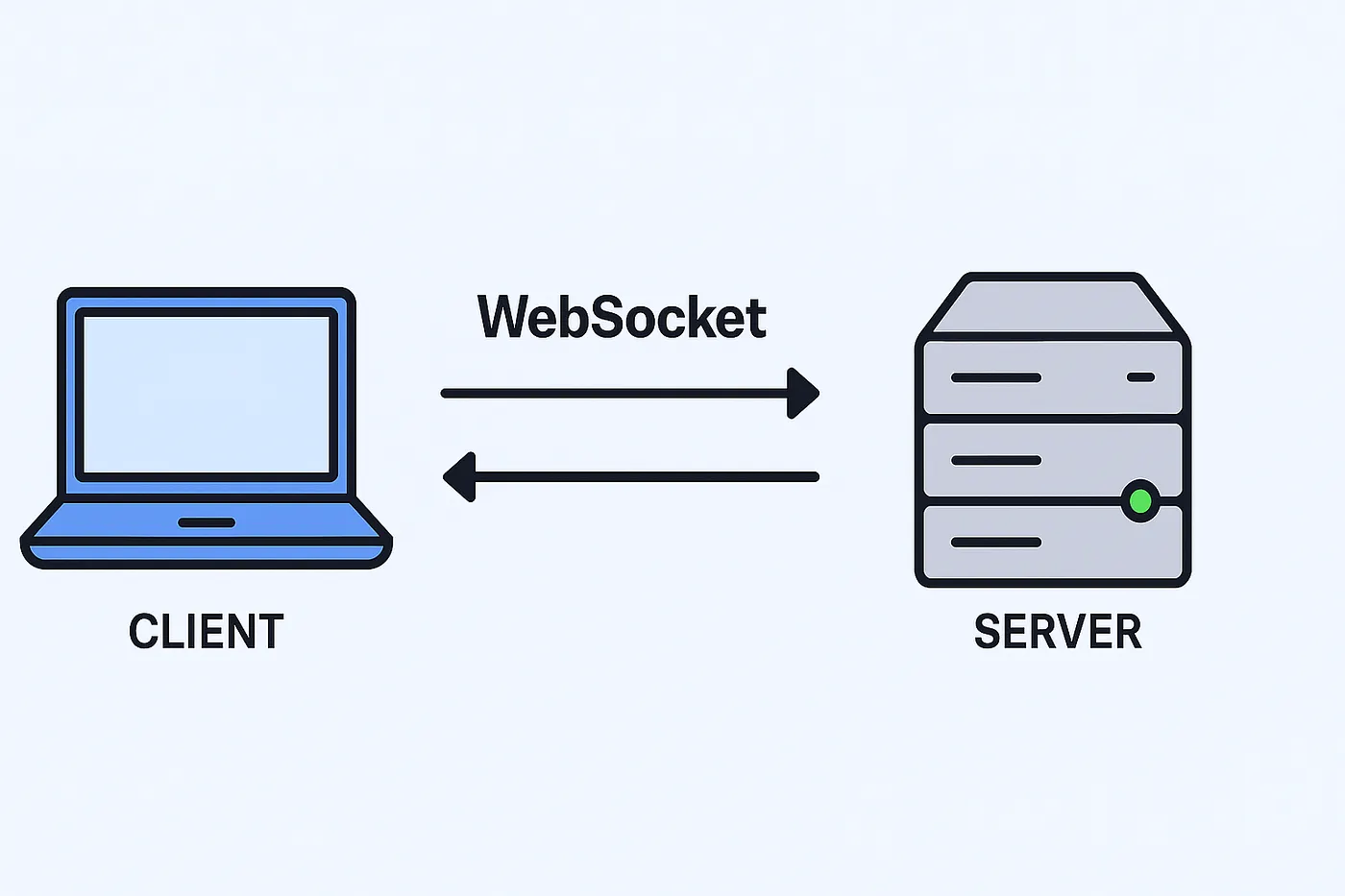
WebSocket is a persistent, bidirectional communication channel established between the phone (client) and the server (backend). Once this connection is established, the app can both receive messages from the server and send messages to it — just like a real phone line.
In traditional methods, the app repeatedly contacts the server for every new piece of information (a technique known as “polling”). With WebSocket, however, the connection is already open, so data is delivered instantly — without any waiting.
Use Cases for WebSocket
WebSocket is especially ideal for the following scenarios:
- Chat applications: New messages are delivered to the other party instantly.
- Live scores: Real-time score updates in sports apps are displayed without delay.
- Real-time notifications: Important events are instantly delivered to the user.
- Games or live data dashboards: Continuously updating data is transmitted quickly and without interruption.
How It Works
- When the app launches or the user logs in, a connection to the server is established using the
WebSocketChannel.connect()method. At this point, a persistent channel is created for continuously sending and receiving data. - After the connection is established, the app authenticates itself by sending an access token (e.g., JWT) to the backend server. This ensures that only authorized users can maintain the connection.
- Once the connection is established, data can flow in real time both from the client to the server and from the server to the client.
- Each incoming message is routed to its handler based on its type (
SocketMessageTypes). This way, only the relevant screen or module (e.g.,ChatCubit) responds to the message. - To prevent long-lived connections from being dropped, a “heartbeat” message is sent to the server at regular intervals. This lets the server know that the client is still active.
- If the connection is lost for any reason: the
onClose()method is triggered, all handlers are notified, and the heartbeat is stopped.
Installation
To use WebSocket communication in Flutter, you need to add the web_socket_channel package to your project. After adding this package to your pubspec.yaml file and running the flutter pub get command, you can start using it.
dependencies:
  web_socket_channel: [latest_version]
SocketMessageTypes
SocketMessageTypes enum defines the types of messages sent or received over the WebSocket. Each message type is associated with a unique rawValue (an integer), allowing us to easily identify what kind of action the incoming message from the server represents.
enum SocketMessageTypes {
  heartbeat(1),
  authenticate(2),
  newChatMessage(3);

  const SocketMessageTypes(this.rawValue);
  final int rawValue;

  static SocketMessageTypes? fromRawValue(int? rawValue) => rawValue != null ? values.firstWhereOrNull((e) => e.rawValue == rawValue) : null;
}
SocketMessage
SocketMessage class represents the data model for all messages sent and received over the WebSocket. It is built using freezed and json_serializable.
@freezed
abstract class SocketMessage with _$SocketMessage {
  const factory SocketMessage({
    @JsonKey(name: 'messageType') int? messageType,
    @JsonKey(name: 'payload') Map<String, dynamic>? payload,
  }) = _SocketMessage;

  const SocketMessage._();

  factory SocketMessage.fromJson(Map<String, dynamic> json) => _$SocketMessageFromJson(json);
  factory SocketMessage.heartbeat() => SocketMessage(messageType: SocketMessageTypes.heartbeat.rawValue, payload: {'timestamp': DateTime.now().toIso8601String()});
  factory SocketMessage.authenticate({required String accessToken}) => SocketMessage(messageType: SocketMessageTypes.authenticate.rawValue, payload: {'accessToken': accessToken});

  static SocketMessage? fromDynamic(dynamic value) {
    try {
      if (value case final String value) {
        return SocketMessage.fromJson(jsonDecode(value) as Map<String, dynamic>);
      }
      if (value case final Map<String, dynamic> value) {
        return SocketMessage.fromJson(value);
      }
      return null;
    } catch (e) {
      return null;
    }
  }

  String toMessage() => jsonEncode({
        'messageType': messageType,
        'payload': payload,
      });
}
SocketMessageHandler
The SocketMessageHandler class is an abstract structure designed to handle WebSocket messages of a specific SocketMessageTypes type. Each handler is identified by an id and made comparable using Equatable.
abstract class SocketMessageHandler extends Equatable {
  const SocketMessageHandler({required this.id});
  final String id;

  SocketMessageTypes get messageType;
  void onMessage(Map<String, dynamic> data);
  void onClose();

  @override
  List<Object?> get props => [id];
}
SocketClientListener
The SocketClientListener class is used to listen to lifecycle events of the WebSocket connection.
final class SocketClientListener {
  SocketClientListener({
    required this.onOpen,
    required this.onClose,
    required this.onError,
  });
  final void Function() onOpen;
  final void Function() onClose;
  final void Function(Object error) onError;
}
SocketClient
The SocketClient provides an abstract structure that enables the app to communicate over WebSocket. Thanks to this interface, different parts of the app can interact with the WebSocket without needing to know the details of the actual implementation.
abstract interface class SocketClient {
  factory SocketClient.instance() => _SocketClientImpl();

  bool get isConnected;
  void setListener(SocketClientListener listener);
  Future<void> connect();
  void disconnect();
  Future<void> emit(SocketMessageTypes event, Map<String, dynamic> data, void Function(Object error)? onError);
  void addHandler(SocketMessageHandler handler);
  void removeHandler(SocketMessageHandler handler);
  void removeAllHandlers();
  void notifyHandlers(SocketMessageTypes event, Map<String, dynamic> data);
  void notifyHandlersOnClose();
}
SocketClientImpl
This class is the concrete implementation of the SocketClient interface. It handles the actual connection, message sending, listening, and handler management.
final class _SocketClientImpl implements SocketClient {
  _SocketClientImpl({required this.socketUrl});
  final String socketUrl;

  final _messageHandlers = <SocketMessageTypes, List<SocketMessageHandler>>{};
  final _heartbeatInterval = const Duration(minutes: 1);

  StreamSubscription<dynamic>? _channelSubscription;
  SocketClientListener? _listener;
  WebSocketChannel? _channel;
  Timer? _heartbeatTimer;

  String get _accessToken => App.getAccessToken() ?? '';

  @override
  bool isConnected = false;

  ...
setListener
Allows assigning a listener to handle WebSocket-related events such as connection opened, closed, or an error occurred.
@override
void setListener(SocketClientListener listener) {
  _listener = listener;
}
connect
Initiates the WebSocket connection. If a previous connection exists, it is closed first. Then, a new connection is established using WebSocketChannel.connect. Once ready, it starts listening and sends the token for authentication.
@override
Future<void> connect() async {
  try {
    if (_channel != null && _channel!.closeCode == null) {
      _listener?.onOpen();
      return;
    }

    if (_channel != null) {
      unawaited(_channel!.sink.close());
    }

    _channel = WebSocketChannel.connect(Uri.parse(socketUrl));
    await _channel?.ready;
    _startListeningChannel();
    _sendAuthenticationMessage();
  } catch (e) {
    isConnected = false;
    _listener?.onError(e);
  }
}
disconnect
Closes the connection by cleaning up all resources, and cancels both the heartbeat and the stream subscription.
@override
void disconnect() {
  _channel?.sink.close();
  _channel = null;
  isConnected = false;
  _stopHeartbeat();
  _heartbeatTimer = null;
  _channelSubscription?.cancel();
  _channelSubscription = null;
}
emit
Sends data for a specific SocketMessageTypes. If there is no active WebSocket connection, it throws an error. The message is sent as a SocketMessage object using sink.add().
@override
Future<void> emit(
  SocketMessageTypes event,
  Map<String, dynamic> data,
  void Function(Object error)? onError,
) async {
  try {
    if (!isConnected) {
      throw Exception('WebSocket is not connected');
    }

    final message = SocketMessage(
      messageType: event.rawValue,
      payload: data,
    );

    _channel?.sink.add(message.toMessage());
  } catch (e, stackTrace) {
    AppLogger.e('SocketClient-emit() : Error: $e | stackTrace: $stackTrace');
    onError?.call(e);
  }
}
addHandler
Adds a handler to process incoming messages. Multiple handlers of the same type are supported.
@override
void addHandler(SocketMessageHandler handler) {
  _messageHandlers.putIfAbsent(handler.messageType, () => []).add(handler);
}
removeHandler
Removes a handler with a specific id from the list of handlers for a given message type.
@override
void removeHandler(SocketMessageHandler handler) {
  final handlers = _messageHandlers[handler.messageType];
  if (handlers == null) return;

  handlers.removeWhere((element) => element.id == handler.id);

  if (handlers.isEmpty) {
    _messageHandlers.remove(handler.messageType);
  }
}
removeAllHandlers
Clears all event-type → handler mappings.
@override
void removeAllHandlers() {
  _messageHandlers.clear();
}
notifyHandlers
Triggers the relevant handlers when a specific event is received. This method dispatches the incoming message to the appropriate handlers based on its SocketMessageTypes.
@override
void notifyHandlers(SocketMessageTypes event, Map<String, dynamic> data) {
  final handlers = _messageHandlers[event];
  if (handlers == null) return;

  for (final handler in handlers) {
    handler.onMessage(data);
  }
}
notifyHandlersOnClose
Calls onClose() on all handlers when the connection is closed. For example, this can be used to show a “Connection lost” warning to the user.
@override
void notifyHandlersOnClose() {
  for (final handlers in _messageHandlers.values) {
    for (final handler in handlers) {
      handler.onClose();
    }
  }
}
Private Methods
// After the channel is established, it sends the token to authenticate the session. Then, the connection status is set to `true` and `onOpen()` is called on the listener.
void _sendAuthenticationMessage() {
  try {
    _channel?.sink.add(SocketMessage.authenticate(accessToken: _accessToken).toMessage());
    _listener?.onOpen();
    isConnected = true;
  } catch (e) {
    _listener?.onError(e);
  }
}

// Starts listening to the WebSocket channel. The heartbeat is also initiated at this point.
void _startListeningChannel() {
  _channelSubscription = _channel!.stream.listen(
    _handleChannelData,
    onDone: _handleChannelDone,
    onError: _handleChannelError,
  );
  _startHeartbeat();
}

// Parses the incoming message and triggers the relevant handlers.
void _handleChannelData(dynamic message) {
  try {
    AppLogger.i('SocketClient-_handleChannelData() : Message: $message');
    final socketMessage = SocketMessage.fromDynamic(message);
    if (socketMessage == null) return;
    final event = SocketMessageTypes.fromRawValue(socketMessage.messageType);
    if (event == null) return;
    final payload = socketMessage.payload ?? {};
    notifyHandlers(event, payload);
  } catch (e) {
    AppLogger.e('SocketClient-_handleChannelData() : Error: $e');
  }
}

// When the connection is closed, `onClose()` is called on all handlers and the heartbeat is stopped.
void _handleChannelDone() {
  _listener?.onClose();
  notifyHandlersOnClose();
  _stopHeartbeat();
}

// In case of an error, the listener is notified via `onError()`, and the heartbeat is stopped.
void _handleChannelError(Object error) {
  _listener?.onError(error);
  _stopHeartbeat();
}

// To keep the connection alive, a heartbeat (e.g., a "ping") is sent to the server at regular intervals.
void _startHeartbeat() {
  _stopHeartbeat();
  _heartbeatTimer = Timer.periodic(
    _heartbeatInterval,
    (timer) {
      _channel?.sink.add(SocketMessage.heartbeat().toMessage());
    },
  );
}

// When the connection is closed, this timer is stopped.
void _stopHeartbeat() {
  _heartbeatTimer?.cancel();
}
Example
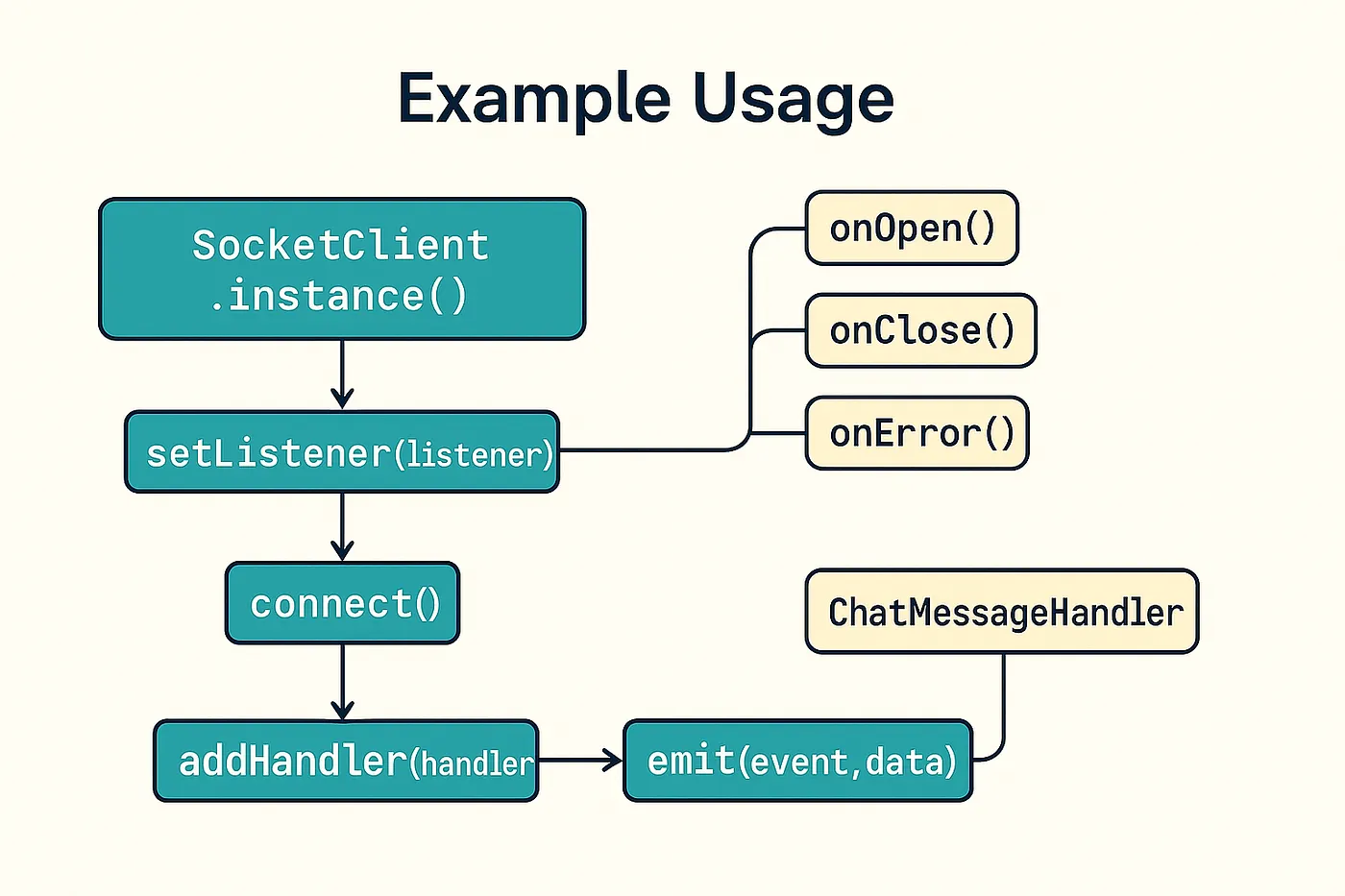
Below is a sample code block demonstrating how to use the SocketClient architecture with a real chat message example:
// 1. An instance of `SocketClient` is being created.
final socketClient = SocketClient.instance();

// 2. Assigning a listener: Monitoring connection status.
socketClient.setListener(
  SocketClientListener(
    onOpen: () => AppLogger.i('Connection opened.'),
    onClose: () => AppLogger.i('Connection closed.'),
    onError: (error) => AppLogger.e('An error occurred: $error'),
  ),
);

// 3. Starting the WebSocket connection.
await socketClient.connect();

// 4. Adding a handler to listen for chat messages.
socketClient.addHandler(ChatMessageHandler());

// 5. Example of sending a chat message.
await socketClient.emit(
  SocketMessageTypes.newChatMessage,
  {
    'sender': 'Haydar',
    'text': "Hello, I'm sending a message via WebSocket!",
    'timestamp': DateTime.now().toIso8601String(),
  },
  (error) => AppLogger.e('Send error: $error'),
);
You can create a separate handler class for each message type. For example, a custom handler for newChatMessage:
final class ChatMessageHandler extends SocketMessageHandler {
  const ChatMessageHandler() : super(id: 'chat-handler');

  @override
  SocketMessageTypes get messageType => SocketMessageTypes.newChatMessage;

  @override
  void onMessage(Map<String, dynamic> data) {
    AppLogger.i('New message: ${data['text']} (Sender: ${data['sender']})');
  }

  @override
  void onClose() {
    AppLogger.i('Chat handler: connection closed.');
  }
}
Conclusion
In this article, we took a detailed look at the modular and scalable WebSocket architecture I use in my Flutter projects. With the SocketClient interface, we abstracted all WebSocket operations from the outside world, while the _SocketClientImpl class handled connection management, authentication, message sending and receiving, handler management, and the heartbeat mechanism.
WebSocket has become an essential requirement for all mobile applications that rely on real-time features. Whether you’re building a small-scale chat app or a large-scale live data system, this architecture can be easily adapted to suit your needs.